
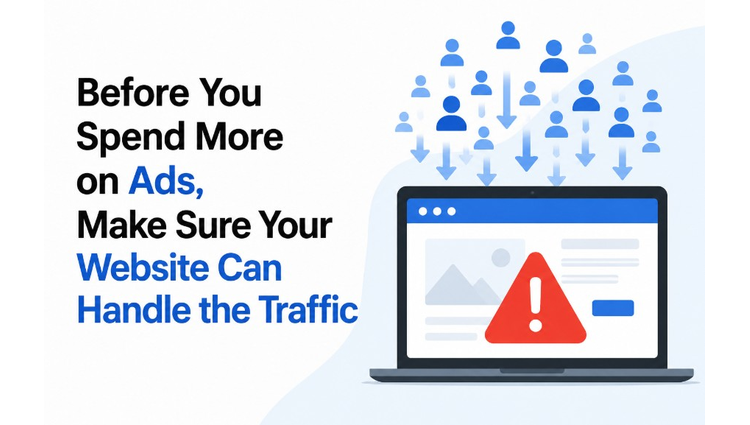
New Delhi, Aug. 27 -- Clicks are up, but conversions are barely moving up. That's usually not a targeting problem or a creative problem, it's a website problem, and more specifically, it's a hosting problem.
Before you increase your ad budget next quarter, it's worth checking whether your current hosting plans can actually handle the traffic you're about to pay for. Because driving more visitors to a site that loads slowly or crashes under load isn't growth. It's just an expensive way to lose money.
Why Ad Campaigns Can Expose Website Problems
Ad campaigns are unforgiving stress tests. A site that runs fine on 200 daily visitors might buckle at 2,000, especially if those visitors all arrive within a two-hour window because of a Diwali sale or a flash promo.
Most SMBs never see this coming. Their site "works fine" in everyday use, so hosting stays an afterthought. Then a campaign goes well, really well, and suddenly the checkout page times out. Support tickets pile up. Ad spend keeps burning while the landing page struggles to load.
Website traffic spikes don't ask permission. They just show up, and your infrastructure either handles them or it doesn't.
Check Your Website Performance Before Increasing Ad Spend
Before you commit more budget, run a basic performance audit. Not a full technical audit, just enough to know where you stand.
Ask yourself:
How does the site perform under simulated load, not just normal browsing? What's your current page load time on mobile networks (a lot of Indian traffic is still 4G, not fibre-fast wifi)? Has your hosting ever caused downtime during a previous campaign? Do you know your server's resource ceiling, CPU, RAM, bandwidth, or is that a mystery?
If you can't answer most of these, that's your first sign. Website performance and website conversion rate are directly linked; a one-second delay in load time can meaningfully drop conversions, and Google's own research has repeatedly flagged this. Marketers know the ad math. Fewer know the hosting math. Both matter equally.
Understand What Your Hosting Resources Can Handle
Here's where things get slightly technical, but stick with it, this part decides whether your ad spend converts or evaporates.
Hosting resources typically break down into a few buckets:
CPU allocation - How much processing power your site gets under concurrent requests RAM - Determines how many simultaneous users your site can serve without slowing to a crawl Bandwidth - The ceiling on data transfer before throttling or overage charges kick in Storage type - SSD vs traditional storage changes load speed dramatically Concurrent connection limits - Shared hosting plans often cap this low, and that cap is invisible until you hit it
Shared hosting, which many small businesses start with, pools these resources across dozens (sometimes hundreds) of other websites. It's cheap for a reason. And that reason becomes painfully obvious the moment your ad campaign performs well.
Signs Your Current Hosting May Not Be Enough
Some signs are loud. Others are quiet and easy to miss until the damage is done.
Watch for:
Pages that load fine at 10am but crawl at 8pm (peak traffic hours) Increased bounce rate specifically correlated with campaign launch dates 502 or 503 errors appearing in analytics during high-traffic windows Hosting provider emails about "resource limit exceeded" or throttled bandwidth Support forms or checkout pages that fail intermittently, not consistently, intermittent failures are often resource-related, not code bugs
If two or more of these sound familiar, your website infrastructure is likely under-provisioned for where your marketing is heading.
Why Cheap Hosting Can Become Expensive During Growth
This is the part nobody likes admitting. Cheap hosting isn't actually cheap once you factor in what it costs you during growth phases.
Cost Type Cheap Shared Hosting Scalable Business Hosting Monthly Hosting Fee Low Moderate to Higher Downtime during traffic spike Common Rare, with proper scaling Lost conversions from slow load High Risk Lower Risk Support Reponsiveness under load Often Limited Typically priortized Long Term Scalability Poor Built-In
Choosing hosting purely on price is a reasonable decision when you're a five-page brochure site with minimal traffic. It stops being reasonable the moment marketing dollars start flowing toward that site. A campaign that generates Rs.50,000 in ad spend and loses 30% of conversions to a slow landing page didn't fail because of bad creative. It failed because of a Rs.200/month hosting decision made two years earlier.
When Should a Business Consider a Hosting Upgrade?
There's no single traffic number that triggers an upgrade, it depends on your site's complexity, your average session load, and what your campaigns look like. That said, a few reliable triggers exist:
You're planning a campaign expected to 2x or 3x your normal traffic Your current plan has hit resource limits at least once in the last six months You're adding features, live chat, dynamic pricing, personalization, that increase server load per visitor Your business has moved from occasional promotions to always-on paid acquisition You've noticed load time creeping up month over month, even without major traffic growth
Upgrading before a big campaign, rather than reacting mid-campaign, is almost always cheaper. Emergency scaling during a live campaign tends to cost more, both in infrastructure fees and in lost conversions while the fix is implemented.
Build a Website Infrastructure That Supports Marketing Growth
Think of hosting less as a fixed cost and more as an extension of your marketing budget. A scalable hosting setup should give you:
Room to handle sudden traffic surges without manual intervention Predictable performance across peak and off-peak hours Faster server response times, which directly support SEO and paid landing page quality scores Flexibility to scale resources up (and back down) as campaigns start and end
This is where scalable hosting for business, plans designed with growth in mind rather than static, low-traffic sites, starts to pay for itself. It's not about buying the most expensive tier available. It's about matching infrastructure to ambition.
A Simple Pre-Campaign Website Check
Before your next ad push, run through this quick list:
Test page load speed on both desktop and mobile Check hosting plan limits against expected traffic volume Confirm your checkout or lead form works under simulated concurrent users Review last quarter's analytics for any correlation between traffic spikes and drop-offs Ask your hosting provider directly: what happens if traffic doubles overnight?
None of this takes more than an afternoon. It's a small time investment against a real risk, spending on ads that a slow or unstable site can't convert.
Conclusion
Ad spend gets visitors to your door. Hosting decides whether they get in, look around, and buy something, or bounce off a spinning loading icon. Before increasing that next campaign budget, it's worth asking a less glamorous question than "which keywords should we target."
Ask instead: can our website actually handle what we're about to send its way? Get that answer right, and every rupee spent on ads works harder for it.
NOTE: No VCCircle Journalist was involved in the creation of this content.
Published by HT Digital Content Services with permission from TechCircle.